
Associations waste too much time and money building features from scratch that already exist
Your team just spent three months and $15,000 building a custom event registration system. It works, sort of. But now you need to update the member directory layout, and guess what? That’s another dev ticket, another round of testing, another delay.
Meanwhile, your staff is struggling to use the one-off admin interface someone built for managing sponsors. The documentation is thin, the workflow is confusing, and every time someone needs to add a new sponsor grid, they’re back to asking “how does this work again?”
Most associations think every website feature needs to be custom-built to meet their specific needs. But that approach creates more problems than it solves. Custom development slows you down, creates maintenance nightmares, and locks you into rigid systems that are hard to change.
There’s a better way: custom website components that give you flexibility without forcing you to reinvent basic functionality.
The Component-Based Alternative: A Better Way to Build
Custom components flip this entire dynamic. Instead of building from scratch, you start with proven, tested elements that handle common functionality.
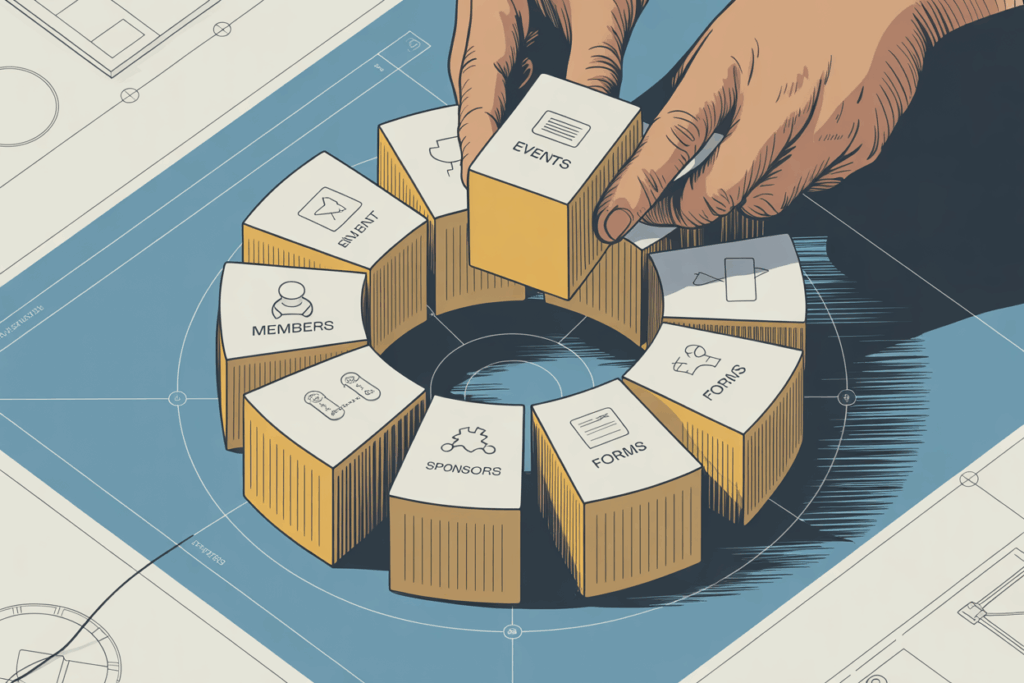
Think of components like building blocks. An accordion component handles the show/hide functionality and styling. A media component manages image and video display with consistent formatting. A call-to-action component provides various button styles and tracking options.
These aren’t templates. They’re flexible tools that adapt to your content and branding while handling the complex functionality behind the scenes.
At Cantata, we build component libraries that include everything associations typically need. Each component is designed to work independently or in combination with others. You can build a page by selecting and arranging components, then customizing the content, styling, and functionality to match your needs. This modular approach significantly speeds up development and content creation, allowing associations to respond quickly to new initiatives or changing member needs. It’s about assembling, not inventing, which saves time and resources while delivering professional results.
Global Styles Keep Everything Consistent
One of the biggest advantages of component-based design is centralized styling. Instead of defining colors, fonts, and spacing separately for each custom feature, components pull from a global style system.
Change your brand colors in one place, and every component updates automatically. Adjust your heading typography, and it applies consistently across event listings, member directories, and content sections.
This consistency creates a more professional user experience and reduces the cognitive load on your staff. When every component follows the same design patterns, content management becomes intuitive. It reinforces your brand identity across all pages and allows for a seamless experience for your members, regardless of the content they are viewing. This eliminates the ‘patchwork’ look that often results from disparate custom-built features, where each section might have its own slightly different visual rules.
Compare that to custom development, where each feature might have slightly different styling controls, color options, or layout settings. The inconsistency confuses both staff and site visitors, making the site feel disjointed and unprofessional. Global styles allow your website to always present a unified and polished appearance, reflecting well on your association.
Training Resources That Actually Help
When components follow standard patterns and use familiar interfaces, creating training materials becomes straightforward. Instead of explaining how your custom event system works, you can create simple videos showing how to use the event listing component; knowledge that applies to other components as well.
Staff training focuses on content management concepts rather than navigating unique interfaces. Once someone understands how to add content to one component, they can apply that knowledge across the site. This reduces the learning curve significantly, allowing new staff members to become productive quickly without extensive, specialized training. It also reduces the burden on your technical team, freeing them up for more complex tasks rather than constant support requests.
Many associations find they can create self-service training materials that reduce support requests and empower staff to manage content confidently. This self-sufficiency is a huge benefit, especially for associations with limited staff or volunteer-run operations, as discussed in Why Associations Need a Different Approach. It means more time spent on your mission and less on website administration.
Benefits That Compound Over Time
The advantages of component-based design become more apparent as your site grows and changes.
Page creation becomes fast and consistent. Instead of designing each new page from scratch or copying and modifying existing pages, your team can assemble new content by selecting and configuring proven components. This accelerates the content pipeline, allowing associations to publish timely information and launch new initiatives with greater agility. For insights into managing member-only content efficiently, consider What’s the Best CMS for Associations with Member-Only Content?
Updates happen globally. Improve the functionality of your event listing component, and every page using that component benefits immediately. Fix a display issue or add a new feature once, and it applies everywhere. This centralized control drastically reduces maintenance time and the risk of inconsistencies that often plague custom-built sites. Imagine updating a security patch or a design tweak across your entire site with a single action, rather than going page by page or feature by feature.
Design flexibility increases rather than decreases over time. Because components separate content from presentation, you can update your visual design without rebuilding functionality. Rebrand your site, adjust layouts, or modify styling without touching the underlying systems. This allows your association to stay current visually without costly functional overhauls. If you’re struggling with design limitations, our post on Limited Design Options? It Might Be Time to Replace the Framework might be helpful.
Most importantly, your staff becomes truly empowered to manage content. Combined with smart automations, component-based sites run themselves more efficiently than custom solutions. This creates a virtuous cycle where efficiency gains free up staff to focus on higher-value tasks, further benefiting the association.
The Bottom Line: Focus on Your Mission, Not Website Code
Stop building what already exists. Your association’s value comes from your content, your community, and your mission, not from having unique website functionality.
Custom components let you focus on what matters: creating content that serves your members, building communities that grow your mission, and managing your association efficiently.
The wheel has been invented. It’s time to put it to work. Your staff will thank you for systems they can actually use. Your budget will thank you for avoiding maintenance nightmares. And your members will benefit from a website that works consistently and grows with your association’s needs. This strategic shift allows associations to allocate their precious resources to initiatives that truly advance their goals, rather than getting bogged down in repetitive web development tasks.
Component-based design is about building more with what already works, smarter and more sustainably. It’s about empowering your association to thrive in the digital sphere without the constant burden of custom development.